New budget exporter
Before, your budgets came out as a generic PDF, the same for everyone. The exporter is now ultra-customizable: you build the document in blocks, change the structure, add your own sections, and the PDF looks exactly how you want to present it to your client.
If you haven't exported a budget in a while, it's worth jumping in and trying it. It's probably the most visible change.
Much more capable AI
The Get agent took a big leap:
- Better context awareness. It doesn't just look at the current budget, it can also read your other projects as reference. If you built something similar two months ago, the agent uses it to suggest things consistent with how you quote.
- Voice mode: you can now talk to the agent instead of typing. Useful when you're reviewing something quickly or putting together a budget from your phone.
Guests
You can now invite people to a specific project without adding them to your workspace. Useful for clients, external production companies, or one-off collaborators who only need to see or work on a single project, not your entire operation.
Guests are free. You get a limit based on your plan, but they don't add extra cost to the workspace.
If you have people who work directly in your team, you add them as Members. Each one gets their own quota and full access to work across all projects.
Boleta support (Chile)
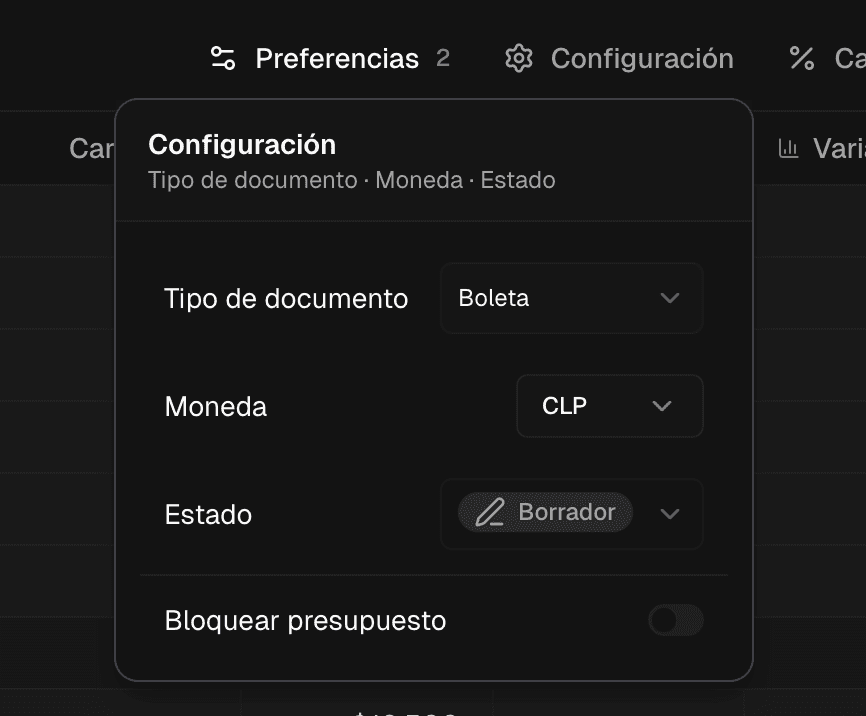
Chile-specific: several freelancers asked for this. You can now mark a document as a boleta and the calculation adjusts automatically (no automatic SII filing yet, that's coming later).
Net VAT
Calculations are now net by default, which is how most of you actually budget. Less friction, fewer errors.
What's next
Our next focus is 100% analytics. We want to make your business analytics much easier to use and better tailored to your needs. Anything you want to see, tell us from inside the app.
If you haven't logged in for a while, now's a good time. And if you run into something weird or have feedback, write me directly. I read everything.
Benja